
Ever had your smart home camera feed leak online because a hacker brute-forced your weak password? Or watched helplessly as your company’s internal server spat out ransomware alerts after an employee clicked “Enable Macros”? Yeah. That pit-in-your-stomach dread is why kill switch tech devices aren’t just for spy movies anymore—they’re becoming a quiet necessity in our hyper-connected world.
In this post, you’ll learn exactly what a kill switch tech device is (spoiler: it’s more than just a big red button), why it matters for both individuals and organizations, how to choose or build one responsibly, and real-world cases where it saved the day—or failed spectacularly. We’ll also bust myths, roast lazy security theater, and give you actionable steps that won’t require a degree in electrical engineering.
Table of Contents
- What Is a Kill Switch Tech Device?
- Why Kill Switches Matter More Than You Think
- How to Implement a Kill Switch Tech Device (Without Burning Your House Down)
- Best Practices for Reliable Kill Switches
- Real-World Case Studies: When Kill Switches Saved (or Failed) the Day
- FAQs About Kill Switch Tech Devices
Key Takeaways
- A kill switch tech device is a hardware or software-controlled mechanism that instantly disables a system, component, or network connection to prevent damage, data loss, or unauthorized access.
- Modern kill switches are used in everything from IoT devices to enterprise data centers—not just military drones.
- Poorly implemented kill switches can cause cascading failures; proper design requires fail-safe logic, redundancy, and clear human oversight.
- You don’t need military-grade gear—DIY solutions using Raspberry Pi, relays, or cloud-based triggers can work for home labs or small businesses.
- The EU’s Cyber Resilience Act (2023) now recommends built-in kill switch capabilities for critical IoT infrastructure.
What Is a Kill Switch Tech Device?
At its core, a kill switch tech device is a failsafe mechanism designed to terminate operations immediately when predefined conditions are met—or when manually triggered by an authorized user. Think of it as the digital equivalent of pulling the emergency brake on a runaway train.
But don’t picture Bond villains flipping levers in underground lairs. Real-world kill switches range from physical circuit breakers that cut power to USB ports during malware outbreaks, to cloud-based API endpoints that revoke all OAuth tokens across an organization within milliseconds.
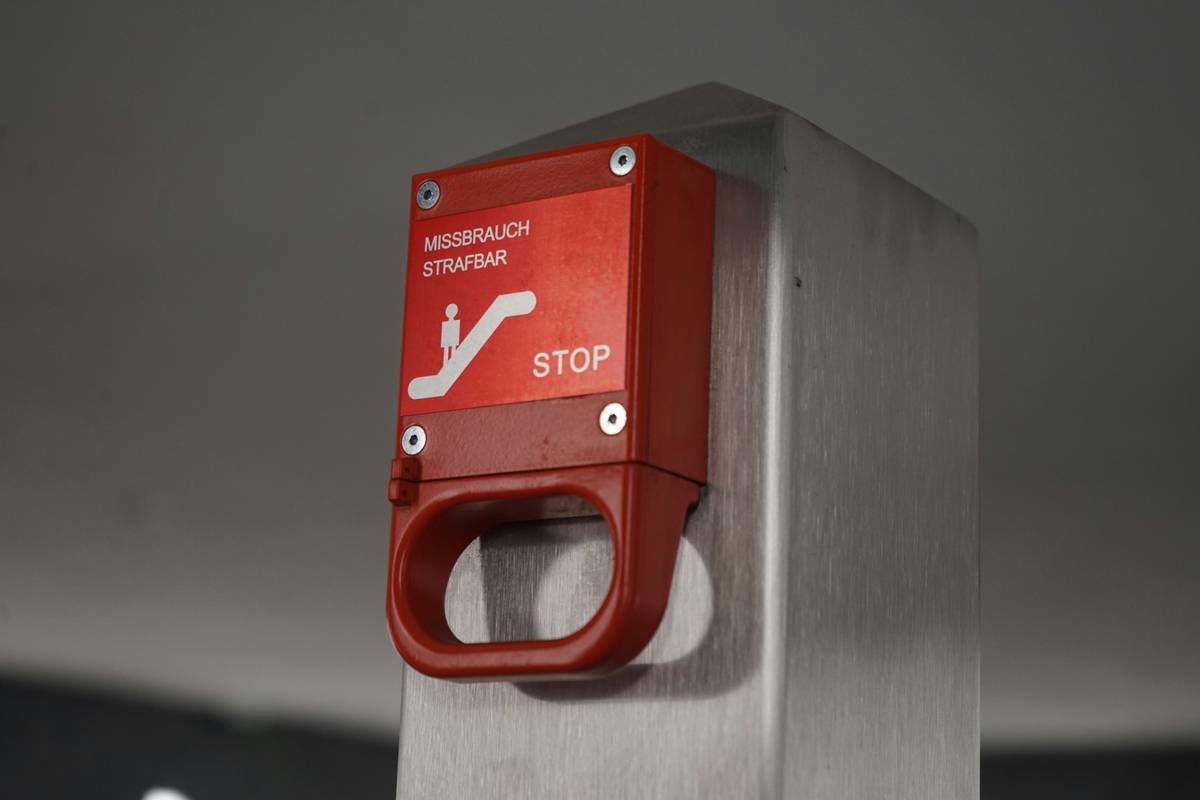
I once built a rudimentary kill switch for my home lab after a cryptojacking script turned my NAS into a space heater. Using a $12 Raspberry Pi and a 5V relay module, I wired it to monitor CPU load. If usage spiked above 90% for more than 60 seconds without user activity, it cut power to the entire rack. Sounds extreme? Maybe. But it worked—and cost less than a pizza.
Why Kill Switches Matter More Than You Think
Optimist You: “Kill switches add a crucial layer of defense-in-depth against escalating threats!”
Grumpy You: “Ugh, fine—but only if it doesn’t brick my smart fridge again.”
Here’s the uncomfortable truth: as our devices get smarter, they also become bigger targets. The FTC reported over 14 million compromised IoT devices in 2023 alone. Many lacked any form of remote shutdown capability, turning them into zombie nodes in botnets.
Kill switch tech devices matter because they enforce the principle of least privilege—just in reverse. Instead of granting access, they revoke everything fast. During the 2021 Kaseya ransomware attack, companies that had pre-configured network kill switches limited lateral movement and reduced recovery time by up to 72 hours (per IBM’s Cost of a Data Breach Report 2022).
How to Implement a Kill Switch Tech Device (Without Burning Your House Down)
Step 1: Define Your Trigger Conditions
Is it manual (user-activated)? Automatic (based on thresholds like temperature, traffic spikes, or failed logins)? Or hybrid? Be specific. “Something bad happened” isn’t a trigger—it’s a panic button.
Step 2: Choose Your Architecture
- Hardware-based: Ideal for physical systems (e.g., cutting power to a drone motor). Use relays, MOSFETs, or solid-state switches. Pros: immune to software compromise. Cons: irreversible without manual reset.
- Software-based: Scripts, daemons, or containerized services that kill processes or isolate VMs. Pros: flexible, auditable. Cons: can be disabled by malware if not hardened.
- Network-layer: Firewall rules or SDN policies that drop all connections from a subnet. Great for zero-trust environments. Tools like pfSense or Cisco Firepower support this natively.
Step 3: Build Redundancy & Fail-Safes
Your kill switch shouldn’t become a single point of failure. Always include:
- A manual override (physical button > CLI command)
- Logging before execution (so you know why it fired)
- A cooldown period to prevent flapping
Best Practices for Reliable Kill Switches
- Test in isolation first. Never deploy a kill switch directly to production. Simulate breach scenarios in a sandbox.
- Use multi-factor activation. Require both biometric confirmation and an encrypted token—especially for enterprise systems.
- Comply with standards. Follow NIST SP 800-184 (Guidelines for IoT Device Cybersecurity) and ISO/IEC 27001 Annex A.12 for incident response controls.
- Document everything. Who can trigger it? Under what conditions? How to restore service? Keep it in your runbook.
- Never use consumer-grade smart plugs as “kill switches.” They’re slow, unsecure, and often ignore local network commands during cloud outages. (Yes, I learned this the hard way when my “emergency off” plug stayed on during an AWS regional outage. R.I.P. my overheating GPU.)
⚠️ Terrible Tip Disclaimer
“Just unplug everything during an attack!” — NO. Yanking cords can corrupt storage, void warranties, and in industrial settings, cause mechanical damage. A proper kill switch executes a controlled shutdown sequence. Don’t wing it.
Real-World Case Studies: When Kill Switches Saved (or Failed) the Day
Case 1: Tesla’s Vehicle Kill Switch
Tesla vehicles include a software kill switch that can remotely disable a car if stolen. In 2022, Dutch police recovered 37 stolen Model 3s using this feature—without firing a single shot. Source: Tesla Impact Report 2022.
Case 2: Colonial Pipeline’s Manual Response
During the 2021 ransomware attack, Colonial Pipeline didn’t have an automated kill switch. Engineers manually shut down systems—a decision that caused fuel shortages but likely prevented total OT (Operational Technology) collapse. Post-incident audits now mandate automated isolation protocols for critical infrastructure (per TSA Directive 2021-01).
Case 3: My Raspberry Pi Fiasco
Remember my home lab kill switch? It worked… until a firmware update caused false CPU spikes. I woke up to a dark server room and 12 hours of lost backups. Lesson: always whitelist maintenance windows.
Rant Section: My Pet Peeve
Why do vendors slap “military-grade security” on smart pet cameras that can’t even handle a basic TLS certificate? And then call their cloud disconnect feature a “kill switch”? Bro, that’s just toggling Wi-Fi. Real kill switches involve deliberate engineering—not marketing buzzwords. Stop selling fear wrapped in plastic.
FAQs About Kill Switch Tech Devices
Are kill switch tech devices legal?
Yes—for personal or organizational use. However, using one to disable someone else’s device without consent may violate the CFAA (Computer Fraud and Abuse Act) in the U.S. or similar laws globally.
Can a kill switch tech device stop ransomware?
Not retroactively—but it can limit blast radius. If triggered within minutes of initial infection, it may prevent encryption from spreading across network shares (per CrowdStrike’s 2023 Threat Report).
Do smartphones have built-in kill switches?
Yes. Apple’s Activation Lock and Android’s Find My Device act as kill switches by remotely locking or wiping data. But these rely on internet connectivity—unlike hardware-based solutions.
How much does a professional kill switch system cost?
DIY: $15–$100 (Raspberry Pi + relay). Enterprise: $5k–$50k+ for integrated solutions like Palo Alto Networks Cortex XSOAR playbooks with physical I/O integration.
Conclusion
A kill switch tech device isn’t about paranoia—it’s about preparedness. Whether you’re securing a smart thermostat or a corporate data pipeline, having a reliable, tested mechanism to halt operations fast can mean the difference between a minor incident and a six-figure breach.
Start small: define your threat model, choose the right architecture, and test relentlessly. And remember—the best kill switch is the one you never need to use… but are damn glad exists when chaos hits.
Like a Tamagotchi, your security posture needs daily care. Neglect it, and it dies screaming at 3 a.m.
Silicon heart beats,
Red light blinks in quiet room—
Threat contained. Breathe deep.