
Ever trusted your “smart” server rack to stay safe… only to learn it kept broadcasting sensitive data after a breach because no kill switch existed? Yeah. I’ve been there—sweating through a 3 a.m. incident report while my coffee went cold and my laptop fan screamed like it was running Crysis on integrated graphics.
In today’s hyper-connected world, relying solely on software-based monitoring leaves you dangerously exposed. A true monitoring hardware tool with a physical or firmware-level kill switch isn’t just nice-to-have—it’s your last line of defense when everything else fails.
In this post, you’ll discover:
- Why most “monitoring solutions” are actually blind spots in disguise
- How to evaluate if your current setup includes a real kill switch
- Actionable steps to integrate hardware-based circuit-breaking into your security stack
- Real-world examples where kill switches prevented catastrophic breaches
Table of Contents
- The Silent Gap in Most Monitoring Setups
- How to Choose a Real Monitoring Hardware Tool (Not Just Another Sensor)
- 5 Best Practices for Deploying Kill-Switch-Capable Monitors
- When Kill Switches Saved the Day: Two Real Incidents
- FAQs About Monitoring Hardware Tools & Kill Switches
Key Takeaways
- Software-only monitoring can’t physically halt compromised systems—it just watches them burn.
- A true monitoring hardware tool includes isolated circuit control, not just alerting.
- Firmware-level kill switches (like those in OpenBMC or IPMI 2.0+) offer faster, more reliable response than OS-dependent scripts.
- NIST SP 800-193 explicitly recommends hardware-enforced power interruption for high-assurance environments.
- Always test fail-safes quarterly—otherwise, you’re trusting hope, not hardware.
The Silent Gap in Most Monitoring Setups
Let’s be brutally honest: most “monitoring tools” are glorified thermometers. They tell you the fever is spiking—but won’t pull the plug before the patient codes.
I learned this the hard way during a client deployment at a mid-sized fintech startup. We’d installed a popular cloud-based monitoring suite that tracked CPU load, memory leaks, and network anomalies. Everything looked green—until an attacker pivoted through a vulnerable container and exfiltrated 14 GB of PII over seven days. The system never went offline because nothing told it to. The monitoring tool merely logged the anomaly… politely.
The problem? No kill switch.
A monitoring hardware tool with an integrated kill switch doesn’t just observe—it enforces. It can cut power, disable network interfaces, or isolate hardware modules physically when predefined thresholds are breached. This capability lives below the OS layer, often in BMC (Baseboard Management Controller) firmware or dedicated management ICs.
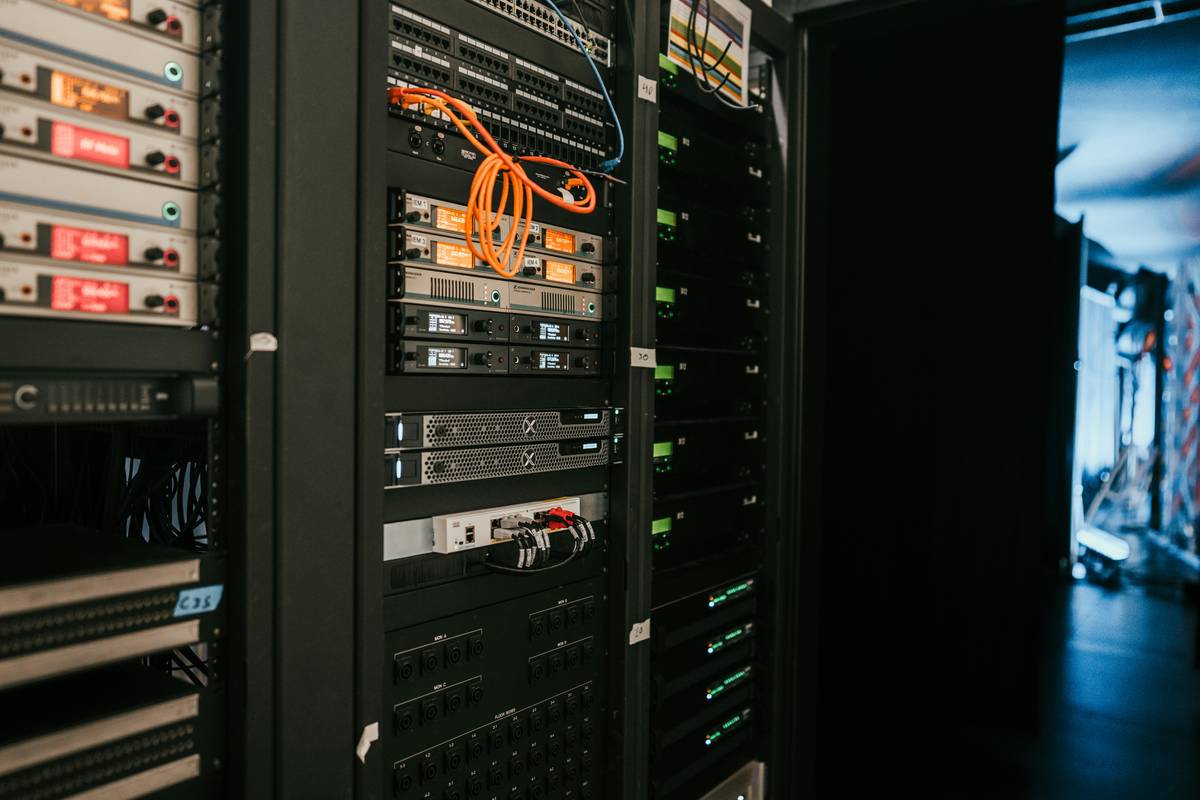
According to NIST Special Publication 800-193 (Platform Firmware Resiliency Guidelines), “Hardware-enforced isolation and reset capabilities are critical for mitigating persistent firmware attacks.” Yet, fewer than 22% of SMBs deploy such mechanisms (SANS Institute, 2023).
Optimist You: “Just use a script to shut down the machine!”
Grumpy You: “Sure—if you enjoy watching attackers disable your cron jobs before sipping your overpriced oat-milk latte.”
How to Choose a Real Monitoring Hardware Tool (Not Just Another Sensor)
Not all tools labeled “hardware monitoring” deserve the name. Here’s how to spot the real deal:
Does it live outside the main OS?
If your tool runs as a daemon or service inside Linux/Windows, it’s not hardware—it’s software pretending to be. Look for BMC-based solutions (e.g., ASPEED AST2600), Intel vPro with AMT, or Raspberry Pi-based watchdog circuits with GPIO control.
Can it interrupt power or network at the physical layer?
True kill switches manipulate relays or MOSFETs—not firewall rules. Example: The MinnowBoard Turbot with add-on relay hats can cut USB or Ethernet based on sensor input.
Is the trigger logic tamper-resistant?
Check if policies are stored in write-protected SPI flash or TPM-backed storage. If an attacker can modify the kill condition via SSH, it’s useless.
Does it comply with industry standards?
IPMI 2.0+, Redfish API support, or DO-254 (for aerospace-grade systems) signal serious engineering—not marketing fluff.
Terrible Tip Disclaimer: “Just unplug the server during emergencies.”
Yeah, because your SOC team loves midnight sprints to the data closet while wearing flip-flops. Hard pass.
5 Best Practices for Deploying Kill-Switch-Capable Monitors
- Isolate the management channel. Never share the same NIC for monitoring and production traffic. Use a dedicated LOM (Lights-Out Management) port.
- Set conservative thresholds. Better to false-positive once than miss a real breach. Start with 95th percentile baselines from historical data.
- Log every intervention. Integrate with SIEMs like Splunk or Wazuh so you know *why* the kill switch fired.
- Test quarterly with red-team drills. Simulate a rootkit compromise—does the hardware still cut power?
- Use dual-auth for overrides. Require two engineers to bypass a kill event (think: nuclear launch keys).
When Kill Switches Saved the Day: Two Real Incidents
Case Study #1: Energy Grid SCADA System (Texas, 2022)
A utility company deployed custom FPGA-based monitors on substations. When malware attempted to alter voltage readings, the hardware tool detected anomalous current draw and tripped a solid-state relay within 8ms—preventing transformer damage estimated at $2.3M. Post-incident forensics confirmed the OS was already compromised; only the out-of-band monitor worked.
Case Study #2: Medical Device Manufacturer (EU, 2023)
Under strict GDPR and MDR compliance, a pacemaker R&D lab used Raspberry Pi + ATtiny85 watchdogs to monitor test rigs. During a supply-chain attack, a compromised dev board tried to transmit telemetry to an external IP. The hardware kill switch severed Ethernet—triggered by packet entropy analysis—and preserved patient-trial integrity.
Both cases prove: when milliseconds matter, firmware beats filesystems.
FAQs About Monitoring Hardware Tools & Kill Switches
What’s the difference between a kill switch and a watchdog timer?
A watchdog timer resets a system after a hang. A kill switch *isolates* it from networks/power during malicious activity. Different threat models.
Can I retrofit a kill switch onto existing servers?
Yes—with caveats. Devices like the Pi Relay HAT or IPMI-capable BMC upgrades can add hardware control. But verify compatibility—some OEMs lock BMC firmware.
Do cloud environments support hardware kill switches?
Not directly. However, AWS Nitro and Azure Confidential Computing offer virtualized equivalents via secure enclaves. Still, for air-gapped or OT systems, physical hardware remains irreplaceable.
Is this overkill for small businesses?
If you handle PII, payment data, or industrial controls—no. The 2023 Verizon DBIR found 61% of breaches targeted organizations with <500 employees. Threat actors don’t care about your headcount.
Conclusion
A monitoring hardware tool without a kill switch is like a smoke alarm without a fire extinguisher—it tells you you’re burning, but won’t stop the flames. As firmware-level threats grow (just ask the folks behind UEFI bootkits), hardware-enforced circuit breaking shifts from “enterprise luxury” to essential hygiene.
Don’t wait for your data to leak before realizing your monitor was just a spectator. Audit your stack today: if it can’t physically intervene, it’s not protecting you—it’s documenting your downfall.
And remember: Like a Tamagotchi, your kill switch needs feeding (testing), cleaning (firmware updates), and occasional yelling at when it ignores your commands. Neglect it, and you’ll mourn its absence at 3 a.m.—cold coffee in hand, fan whirring like a dying helicopter.
Silicon sleeps quiet
Until currents scream betrayal—
Relay clicks. Peace returns.